
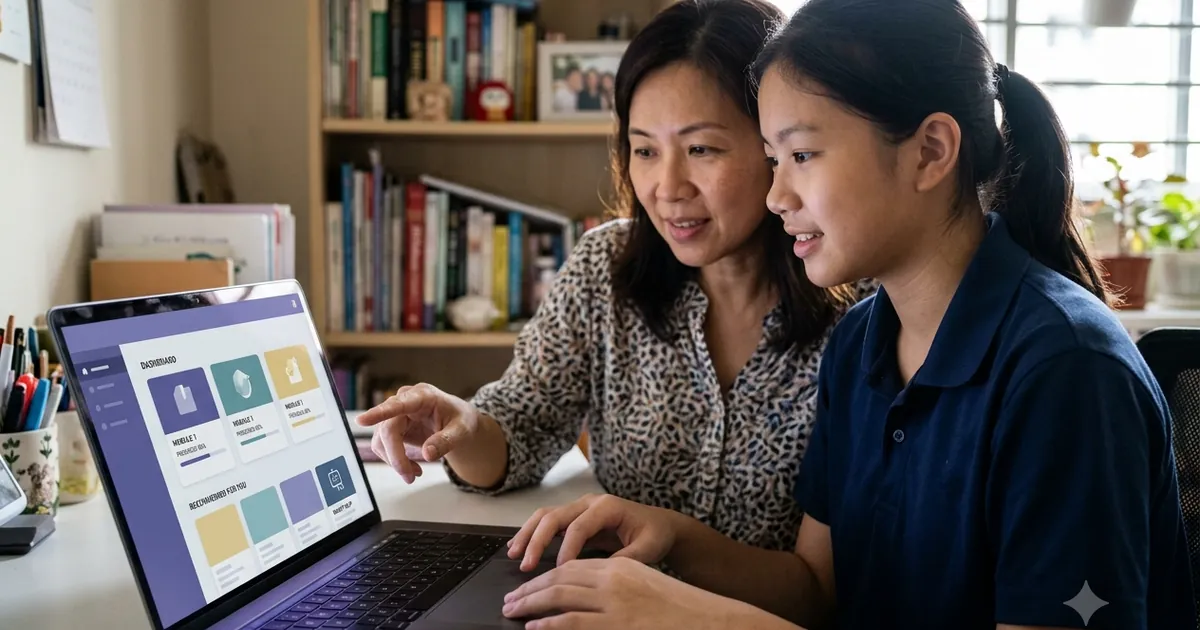
MOE's Student Learning Space (SLS) is Singapore's official national learning platform, and it now includes eight AI-enabled features, six of which a student uses directly — the Adaptive Learning System (ALS), Learning Assistant (LEA), Feedback Assistant–Mathematics (FA-Math), Annotated Feedback Assistant (AFA), Short Answer Feedback Assistant (SAFA) and Speech Evaluation Tool (SET) — all curated, curriculum-aligned and teacher-supervised. The remaining two, Authoring Copilot and Data Assistant, are tools for teachers. Because they are designed for education with built-in safeguards, SLS tools are the safest starting point for AI-assisted learning. At Ancourage Academy, we help parents understand how these complement structured primary tuition, and our AI workshops for parents cover supporting your child's wider AI use.
According to the EdTech Masterplan 2030, AI in SLS is meant to personalise learning and free teachers to focus on higher-order teaching — not to replace the classroom.
What Is the Student Learning Space (SLS)?
SLS is the digital learning platform used by all MOE schools, giving students access to curriculum-aligned resources and assignments, with AI-powered learning tools introduced by level, subject and teacher activation. Students log in with their school-issued MIMS account (lower-primary pupils use an SLS username and password instead), and teachers assign lessons, quizzes, and feedback through it. The AI features sit inside this trusted, MOE-governed environment — a key difference from general-purpose chatbots.
Which SLS AI Features Can Students Use?
The six student-facing SLS AI features are the Adaptive Learning System (ALS) for personalised practice, the Learning Assistant (LEA) for guided hints, Feedback Assistant–Mathematics (FA-Math) for step-by-step hints on written working, the Annotated Feedback Assistant (AFA) for feedback marked directly onto a response, the Short Answer Feedback Assistant (SAFA) for feedback on written responses, and the Speech Evaluation Tool (SET) for pronunciation and fluency practice in English and Mother Tongue.
| Tool | What it does | How it helps |
|---|---|---|
| ALS — Adaptive Learning System | Adjusts question difficulty to the student's performance | Personalised practice; currently covers Mathematics (upper primary to lower secondary) and Upper Secondary Geography, under teacher guidance |
| LEA — Learning Assistant | An AI chatbot that guides with hints and follow-up questions | Helps students think toward answers rather than handing them over |
| FA-Math — Feedback Assistant–Mathematics | Gives step-by-step hints and suggested marks on a student's written working | The most directly useful feature for Mathematics practice; supports geometry and graph questions |
| AFA — Annotated Feedback Assistant | Marks targeted feedback directly onto the student's response as annotation cards | Highlights specific parts of a response for feedback and revision, across subjects |
| SAFA — Short Answer Feedback Assistant | Gives automated feedback on short free-response answers | Shows where an answer is incomplete without waiting for marking |
| SET — Speech Evaluation Tool | Assesses pronunciation and fluency in English and Mother Tongue | Supports oral practice for languages |
How Does SLS AI Differ from ChatGPT?
The crucial difference is that SLS tools are curated and supervised within the MOE curriculum, while general chatbots like ChatGPT are open-ended and unsupervised.
- Curriculum alignment: SLS content maps to what your child is actually learning; a general chatbot may pitch answers at the wrong level or syllabus.
- Designed to guide, not give: LEA is built to ask follow-up questions, whereas a general chatbot will often hand over a full answer unless prompted otherwise.
- Safeguards: SLS operates in a governed environment with teacher oversight; general consumer tools rely on their own content filters and optional parental controls, with no teacher in the loop.
This is why we suggest SLS as a first step, with general tools introduced later using good habits — see our prompt engineering guide and broader AI study tools overview.
How Can Parents Support SLS Learning at Home?
Parents do not need to be technical to support SLS — the goal is to reinforce honest, active use.
- Ask what they learned, not just what they finished: Have your child explain a concept ALS drilled, to confirm understanding stuck.
- Encourage hint-seeking: When using LEA, praise working through hints rather than rushing to the answer.
- Use SAFA feedback as a starting point: Treat automated feedback as a prompt to revise, not a final verdict.
- Practise oral aloud: SET works best alongside real conversation practice at home. MOE has also named LangBuddy, a conversational chatbot for mother tongue speaking practice.
What Are the Limits of SLS AI?
SLS AI is a strong support, but it is not a complete solution, and over-reliance carries the same risks as any AI tool. Automated feedback can miss nuance a teacher would catch; adaptive practice builds fluency but not the deeper reasoning that comes from tackling unfamiliar problems; and no platform replaces timed, AI-free exam practice. MOE has also confirmed it is studying the impact of AI on students' cognitive skills, noting that inappropriate use can foster over-reliance.
MOE is also reviewing marking practices, including "how feedback processes can be appropriately augmented by technology", and will pilot learner-centred teaching and purposeful feedback in six schools from January 2027. See our guide to the MOE Work Plan Seminar 2026 pilots.
How Ancourage Academy Complements School Digital Tools
At Ancourage Academy, we complement SLS and other digital tools with diagnostic, human-guided teaching that AI cannot replicate. Our tutors identify the specific misconception behind a wrong answer, adapt each lesson in small groups of 3-6, and run mock exams under real conditions. SLS builds curriculum fluency; we build the deeper understanding and exam readiness on top of it.
Book a trial class (usually $18) at Bishan or Woodlands, or read about using AI for PSLE preparation.
How Does SLS Fit Into a Wider Study Routine?
SLS works best as one part of a balanced routine, not the whole of it. Its adaptive practice and feedback build curriculum fluency efficiently, but a child still needs unstructured problem-solving, timed past-paper practice, and human explanation to develop deeper reasoning. A practical weekly rhythm might combine SLS-assigned practice, a parent check-in where the child teaches back what they learned, and at least one AI-free practice session under exam-like conditions. Used this way, SLS amplifies a strong routine rather than replacing the parts of learning — effort, recall, and real exam practice — that genuinely move results for the PSLE and O-Level / SEC.
"SLS is a strong first step because it was built for learning, not for answers," says Archer Yu, Ancourage Academy's AI and Computer Science Educator. "It guides a child toward understanding — but it still works best alongside real practice and a teacher who can see where the child is stuck."
Common Questions About SLS AI Features
What does ALS do in SLS?
The Adaptive Learning System (ALS) adjusts question difficulty based on how a student is performing, giving easier questions to build foundations and harder ones as mastery grows. According to MOE, ALS currently covers Mathematics (from upper primary to lower secondary) and Upper Secondary Geography under teacher guidance, providing personalised practice that paper worksheets cannot.
Is the SLS Learning Assistant the same as ChatGPT?
No. The Learning Assistant (LEA) is an AI chatbot within SLS designed to guide students toward answers with hints and follow-up questions, working inside the MOE curriculum with teacher oversight. ChatGPT is a general-purpose tool that is open-ended and unsupervised, and will often give full answers directly unless prompted otherwise.
Are SLS AI tools safe for my child?
SLS AI tools are the safest AI option for students because they are curated for educational use, aligned to the curriculum, and operate under teacher supervision within a governed platform. They are a safer starting point than general chatbots, which have no built-in educational safeguards.
How can I see what my child does on SLS?
SLS activity is assigned and visible to teachers, who can share progress with parents. At home, the most useful approach is to ask your child to explain what they practised and teach it back to you — this reveals whether the AI-assisted practice produced real understanding.
SLS is one part of a stated national position: MOE calls its approach the Four Learns, which sets out why AI use begins at Primary 4 and what national examinations still prohibit. The habit side of that — using AI without offloading the thinking — is where most of the difference at home is made.
Explore our AI workshops, primary courses, our full guide to AI study tools for students, how teachers use AI tools for lesson prep and feedback, or see how AI compares with a human tutor.