Digital Art & Procreate Classes
Art by Ancourage · Explorative Programme
Content reviewed: Sep 2026
Digital Art & Procreate classes at Art by Ancourage teach digital illustration, drawing, and painting using iPad and Procreate in Singapore (Bishan & Woodlands). Offered as part of our Explorative Art programme, weekly 2-hour classes of 3-6 students cover digital brushwork, layering, colour theory, and composition in the digital medium. The MOE's 2024 Primary Art Syllabus groups photography, digital media, Photoshop, graphic design and video art under its New Media art form (MOE, 2024), reflecting the growing importance of digital skills in visual art education. Students learn to leverage Procreate's full toolset — custom brushes, layer management, selection tools, colour palettes, and export workflows — to create polished digital illustrations. "Digital art opens a new dimension of creative expression while reinforcing the same fundamentals of line, value, and composition," note our instructors. Classes are suitable for students aged 9 and above — students bring their own iPad with Procreate installed.
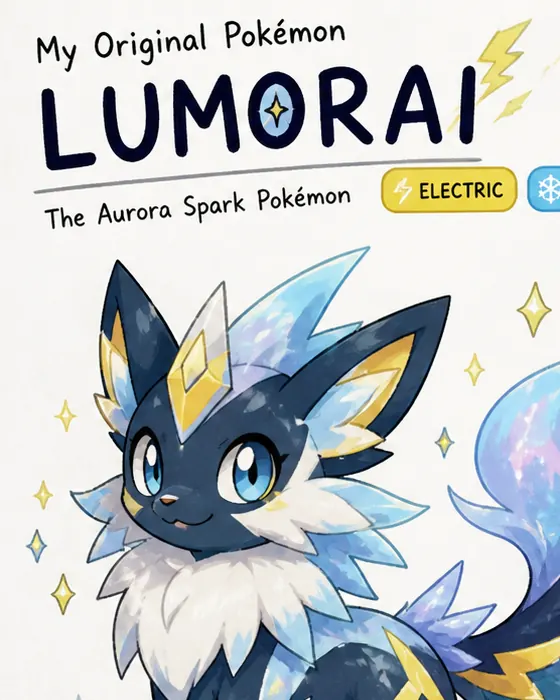
Students develop both technical iPad skills and artistic vision, creating digital illustrations that range from character design and portraiture to landscapes and abstract compositions.
Digital Art classes are part of our Explorative Art programme — students who want to focus on digital mediums can dedicate their Explorative sessions to iPad illustration and Procreate techniques. The programme bridges traditional and digital art, helping students build versatile creative skills across both mediums. Because Digital Art is iPad- and Procreate-based, it is also our most online-friendly Art programme — students can join live online over video from home, or attend in-studio at Bishan & Woodlands.
At a Glance
Key Details
| Age Range | Ages 9+ |
|---|---|
| Duration | 2 hours |
| Class Size | 3–6 Students |
| Mediums | iPad, Procreate, Digital Drawing |
| Locations | Bishan & Woodlands |
| Trial Class | $18 / $60 peak |
What's Included
All materials provided
Paints, brushes, paper, and craft supplies
Weekly progress reports
Detailed feedback on your progress
24/7 WhatsApp support
Direct communication with the teacher
Take home artwork
Keep every finished piece
Flexible scheduling
Weekday and weekend sessions available
“Every student has a unique creative voice. Our role is to develop strong technical foundations — drawing, painting, composition — so that voice can come through with confidence. In small groups of 3–6, we see each student clearly and guide their growth personally.”
Founder & Art Programmes Lead · LASALLE · Goldsmiths
Singapore ranked #1 in Creative Thinking — 58% top performers vs 27% OECD average (OECD PISA 2022)
Our Teaching Approach
Three proven pedagogical methods adapted for visual arts education
Ebbinghaus
Students revisit core digital techniques — brushwork, layering, and colour management — across varied projects, building fluency and muscle memory with the iPad.
Socratic
Teachers guide students to analyse professional digital illustrations, encouraging critical thinking about composition, colour choices, and rendering techniques.
Bruner
Lessons progress from basic Procreate tools through intermediate compositing to advanced illustration workflows, with scaffolding adjusted as digital confidence grows.
What You Will Learn
Core skills and growth outcomes from this programme
Procreate tools and workflow mastery
Master Procreate tools including custom brushes, layers, and blending modes.
Digital brushwork and rendering techniques
Develop confident digital drawing and painting techniques on iPad.
Layer management and compositing
Build understanding of digital colour theory, composition, and rendering.
Digital colour theory and palettes
Create polished digital illustrations suitable for portfolios and personal projects.
Character design and digital illustration
Bridge traditional and digital art skills for versatile creative practice.
Digital Art & Procreate Classes in Singapore
Digital Art & Procreate classes at Art by Ancourage are offered as part of our Explorative Art programme — students who want to focus on digital mediums can dedicate their 2-hour weekly sessions to iPad illustration and Procreate techniques. Classes are led by a LASALLE-trained instructor and welcome students aged 9 and above at all experience levels, from children exploring digital creativity to adults building professional illustration skills. MOE's 2024 Primary Art Syllabus groups digital work — photography, film and technology, Photoshop, graphic design and video art — under its New Media art form, making digital art skills increasingly relevant for school-age students. Each session covers Procreate tools, digital brushwork, layer management, colour theory, and composition — progressing from basic techniques to polished illustration workflows. Students bring their own iPad with Procreate installed (any model supporting Apple Pencil). Classes run weekly in small groups of 3-6 at the Bishan studio (152 Bishan Street 11, near Bishan MRT CC15/NS17) and Woodlands studio (Vista Point, 548 Woodlands Drive 44, near Woodlands South MRT TE3). Weekday and weekend sessions are available. Trial classes are $18 off-peak or $60 during MOE school holiday peak windows (March, June, September, Year-End).
How It Works
- 1
Try a Session
Book a $18 off-peak / $60 peak trial. Bring your iPad with Procreate installed. Our instructor assesses your level and interests.
- 2
Learn Procreate
Master essential tools — brushes, layers, selection, colour picker, and canvas management through guided projects.
- 3
Build Skills
Progress through digital brushwork, colour theory, composition, and illustration techniques at your own pace.
- 4
Create Portfolio
Develop polished digital artwork for personal projects, social media, school submissions, or professional use.
Digital Art Classes vs. Traditional Art Classes
Traditional art classes use physical mediums — pencil, charcoal, watercolour, acrylic, oil — on paper or canvas. Digital art classes use an iPad and Apple Pencil with apps like Procreate to create illustration, painting, and design work on a digital canvas. Both develop core artistic skills (composition, colour theory, proportion), but digital art offers unique advantages: unlimited undo, layer-based workflows, easy colour experimentation, and the ability to share work instantly. At Art by Ancourage, digital art is taught within our Explorative Art programme rather than as a separate standalone course — this means students can combine digital and traditional mediums across sessions, building versatility across both. Students who start with digital often develop confidence faster because the undo function removes fear of mistakes, while the Procreate interface makes colour mixing and brush selection intuitive. For school-age students, digital art skills are increasingly valuable: MOE's refreshed 2024 Primary Art Syllabus groups photography, digital media, Photoshop, graphic design and video art under a New Media art form, and many secondary school art programmes now accept digital portfolio submissions. Our instructor provides structured, progressive guidance rather than leaving students to follow online tutorials alone.
What Digital Art students commonly work on
Challenges we frequently help students overcome
Brush control
Layer management
Digital colour mixing
Tool overwhelm
Screen-to-print translation
Your Art Journey
Builds On
Basic interest in digital art; traditional drawing skills are helpful but not required
This Course
Digital fluency unlocks at this stage — students stop fighting the tools and start creating with the same natural flow as traditional media.
Prepares For
Advanced digital illustration, concept art, graphic design, and portfolio development
Builds On
Basic interest in digital art; traditional drawing skills are helpful but not required
This Course
Digital fluency unlocks at this stage — students stop fighting the tools and start creating with the same natural flow as traditional media.
Prepares For
Advanced digital illustration, concept art, graphic design, and portfolio development
Related Programmes
Explore other art programmes that complement your creative journey
Explorative Art Classes
The parent programme — explore all art styles at your own pace
Manga & Anime Art Classes
Apply digital skills to manga character design and illustration
Professional Fine Art Classes
Build strong traditional foundations to complement digital skills
Deepen Your Learning
Comprehensive topic guides covering everything in this subject area.
Frequently Asked Questions
9 questions
Ready to Start Your Art Journey?
Small groups of 3–6 students, all materials provided, experienced instructors. Trial class $18 off-peak / $60 peak (MOE school holiday windows).
Related Reading
Guides and insights to support your art education journey
Learning Procreate and Digital Art in Singapore
Learning Procreate and digital art involves mastering layers, brushes, and digital workflows. What beginners need to know about tools, techniques, and career paths.
Read more →Drawing Classes in Singapore: Beginner Guide for All Ages
Drawing classes in Singapore teach pencil, charcoal, and sketching techniques for all ages. What to expect, how classes work, and where to start.
Read more →Art Education Benefits for Children: What Research Shows
Research shows art education supports cognitive development, emotional regulation, and creative thinking in children. Evidence-based reasons to invest.
Read more →Also from Ancourage: academic tuition — Maths, English, Science & Chinese →