
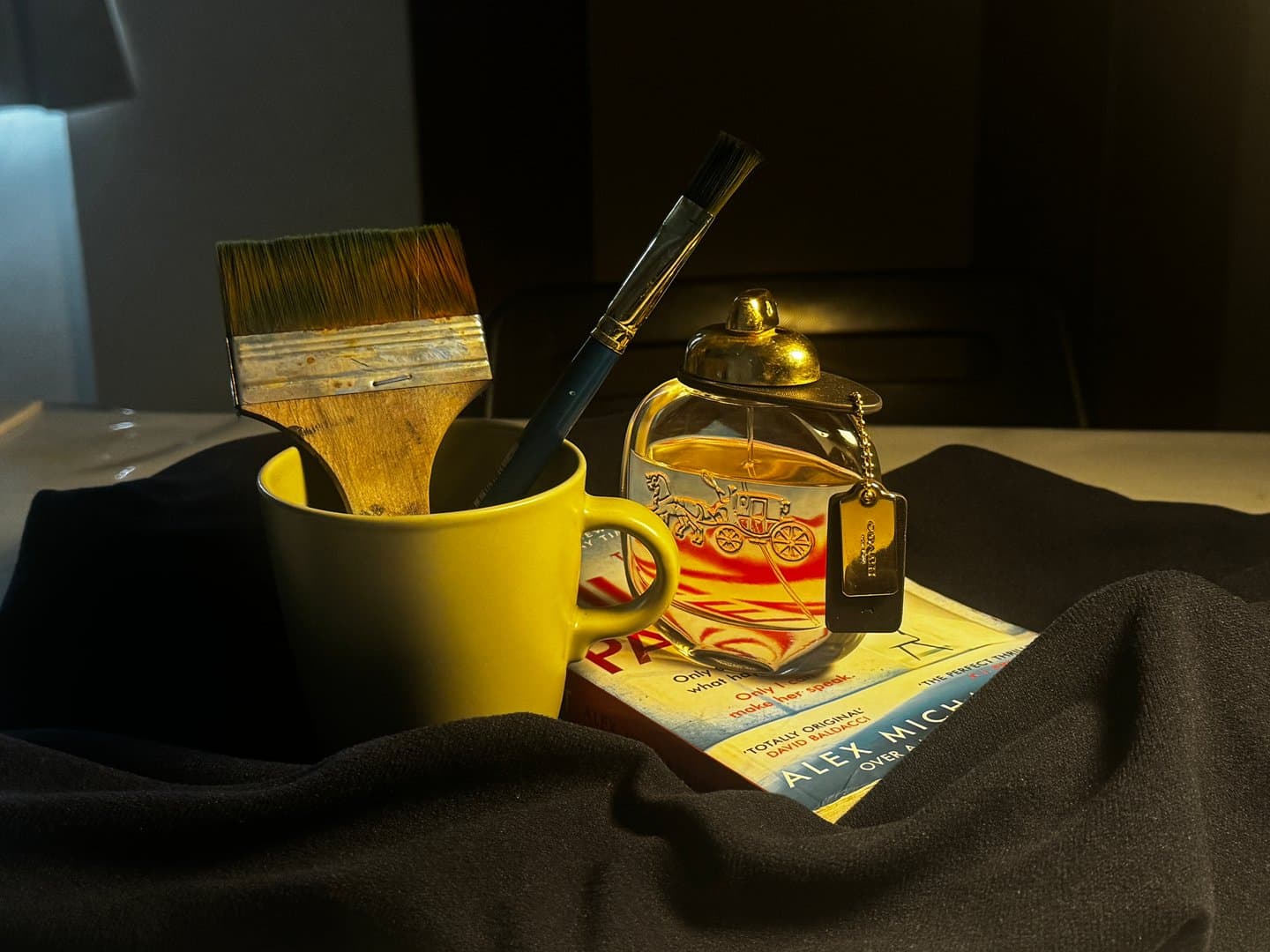
A strong artwork loses impact when poorly photographed — and most DSA Visual Arts, SOTA Year 5 IB, and tertiary art school applications require digital submission of portfolio pieces, making portfolio photography a critical but often overlooked skill. The difference between an artwork that looks professional and one that looks amateur often comes down to lighting, angle, and file preparation. Art by Ancourage guides students through portfolio documentation as part of the DSA Portfolio programme, ensuring every submitted piece represents the student's ability accurately.
As the founder of Art by Ancourage and a graduate of LASALLE College of the Arts, I have photographed hundreds of student artworks for portfolio submissions. The most common reason good artwork underperforms in applications is poor documentation — colour distortion, glare, uneven cropping, or wrong file formats. This guide covers how to avoid those mistakes.
Art by Ancourage's DSA Portfolio programme includes portfolio photography guidance and documentation support — book a trial class (from $18) at Bishan or Woodlands to discuss your child's portfolio needs.
Why Portfolio Photography Matters
Assessors at AEP programmes, at institutions like LASALLE and NAFA (Nanyang Academy of Fine Arts), and on SOTA's Year 5 IB route form their first impression of a student's work from digital images — not the original artwork. A painting that looks vibrant in person can appear dull, distorted, or unprofessional in a poorly taken photograph. For DSA Visual Arts applications, the portfolio images are often the only evidence of artistic ability before the interview stage.
- Digital submission is standard: Most applications — including DSA schools, LASALLE and NAFA, and SOTA's Year 5 IB route — require digital uploads of artwork. SOTA's Year 1 DSA-Sec route is the exception: nothing is uploaded at application, and shortlisted applicants present their original artworks in person
- First impressions count: Assessors review dozens or hundreds of portfolios. Clean, well-lit images stand out immediately
- Colour accuracy matters: A watercolour with washed-out colours or an acrylic painting with yellowish lighting misrepresents the student's skill
- Professional presentation signals seriousness: Consistently well-documented work demonstrates care and commitment — qualities art schools value
Equipment: What You Actually Need
Professional-quality portfolio photography does not require expensive equipment — a modern smartphone with good lighting produces results suitable for most applications, including DSA, SOTA Year 5 IB, and LASALLE submissions.
- Camera: Any smartphone from the last 3-4 years (iPhone, Samsung, Pixel) produces sufficient quality. A DSLR or mirrorless camera is better but not necessary
- Tripod or stable surface: Eliminates camera shake and ensures consistent framing. A phone tripod costs under $20
- Lighting: Two desk lamps with daylight bulbs (5000-5500K colour temperature) positioned at 45-degree angles. Natural daylight from a large window also works well on overcast days
- Background: A clean white or neutral grey surface. A large sheet of white card or foam board works perfectly
- Editing: Free apps like Snapseed or the built-in phone editor for cropping and minor adjustments. Procreate users can export directly
Photographing Flat 2D Artwork
Flat artwork — paintings, drawings, prints, and collages — should be photographed straight-on with even lighting from both sides to eliminate shadows and glare.
- Mount the artwork flat: Tape or pin the artwork to a wall or lay it flat on a clean surface. Ensure the artwork is completely flat with no curling edges
- Position the camera: Centre the camera directly in front of (or above, if laid flat) the artwork. The camera lens should be parallel to the artwork surface to avoid perspective distortion
- Set up lighting: Place two light sources at 45-degree angles on either side of the artwork, equidistant from the surface. This eliminates shadows and minimises glare. For paintings with glossy surfaces, angle the lights slightly more to reduce reflection
- Fill the frame: The artwork should fill approximately 80-90% of the frame, leaving a small border. Crop precisely in post-processing
- Check white balance: Set to "daylight" or "auto" white balance. Compare the photograph to the original — colours should match closely
- Take multiple shots: Shoot 3-5 versions with slight adjustments to lighting and angle. Choose the best one later
Photographing 3D and Mixed Media Work
Three-dimensional artwork — sculptures, ceramics, mixed media assemblages, and installations — requires additional consideration for depth, shadow, and viewing angle.
- Choose the best angle: Photograph from the viewing angle that best represents the piece. Take 2-3 angles if the application allows multiple images per piece
- Use a clean background: A white or neutral backdrop isolates the artwork. Use a sweep (curved background) to eliminate the horizon line
- Control shadows intentionally: Unlike flat work, some shadow adds dimension to 3D pieces. Use a main light from one side and a fill light (or reflector) from the other to control shadow depth
- Show scale: If the artwork is unusually large or small, include a subtle scale reference or note dimensions in the submission
- Detail shots: For mixed media or textured work, include close-up shots showing material quality and surface detail alongside the full view
Common Photography Mistakes That Weaken Portfolios
Art by Ancourage's instructors review student portfolio photographs regularly, and the same six mistakes appear frequently — yellow or warm lighting, glare on glossy surfaces, a tilted camera, cluttered backgrounds, low resolution, and uneven cropping — most of which are easy to fix with awareness.
| Mistake | Impact | Fix |
|---|---|---|
| Yellow/warm lighting | Distorts colours, makes artwork look unprofessional | Use daylight bulbs (5000-5500K) or photograph near a window on overcast day |
| Glare on glossy surfaces | Hides details, creates bright spots | Angle lights at 45 degrees, avoid flash, use matte surfaces where possible |
| Angled/tilted camera | Perspective distortion makes artwork look skewed | Ensure camera is perfectly parallel to artwork surface |
| Cluttered background | Distracts from artwork, looks unprofessional | Use clean white or neutral background, crop tightly |
| Low resolution | Pixelated images look poor on screen | Shoot at highest resolution, do not zoom digitally |
| Uneven cropping | Inconsistent presentation across portfolio | Crop all images to consistent borders using a grid overlay |
Scanning vs Photography: When to Use Each
Scanning produces superior results for flat, small-format work (A4 or smaller) — particularly pencil drawings, ink illustrations, and prints — while photography is better for larger or textured pieces.
- Use scanning for: Pencil drawings, pen and ink work, small watercolours, prints, and any flat work that fits on a scanner bed (typically A4 or A3). Scanning captures fine detail and eliminates lighting variables entirely
- Use photography for: Large paintings, textured mixed media, 3D work, canvases, and anything that does not fit on a scanner. Also use photography for work with heavy impasto or raised surfaces, where a scanner would flatten the texture
- Scanner settings: Scan at 300 DPI minimum (600 DPI for small detailed work). Save as TIFF or high-quality JPEG. Most school and university libraries have A3 scanners available
Submission-Specific Requirements
Different applications have different file format, size, and presentation requirements — checking these before preparing the portfolio prevents last-minute problems.
| Application | Format | Key Requirements |
|---|---|---|
| SOTA Year 1 (DSA-Sec) | In person, after shortlisting | No portfolio is uploaded at application. Shortlisted applicants present 5 original artworks in person at the Portfolio Interview. Check current year's specifications on the SOTA website |
| SOTA Year 5 (IB) | Online upload | 10 final artworks with the Annex A cover page scanned into one PDF (20MB max), 5–8 selected sketchbook pages as a separate PDF (1MB max), and a 500-word essay setting out the art proposal — all uploaded at application, the opposite of the Year 1 route |
| DSA Visual Arts | Varies by school | Typically 3-10 pieces. Some schools request physical portfolios at interview; bring originals |
| LASALLE Diploma | Online upload | 10-15 pieces from at least two categories, created solely by you (design diplomas: 10 images; AI-assisted work discouraged). Portfolios containing copied work are rejected |
| NTU ADM | Single PDF, max 20 pages | Creative works + introduction video + observational drawing. No AI-assisted work |
| H2 Art Portfolio | Max 20 screens | Process documentation across 3+ media, 1500-word commentary. Internally assessed, externally moderated by SEAB |
Post-Processing and File Preparation
Minimal editing preserves artwork integrity — adjust brightness, contrast, and white balance only to match the original, never to enhance or alter the artwork itself.
- Crop precisely: Remove background completely or leave a thin, consistent border around all pieces for a professional look
- Correct white balance: If the image appears too warm (yellow) or too cool (blue), adjust white balance to match the original artwork. Compare side by side
- Adjust brightness and contrast: Only to match the original. Do not over-saturate colours or increase contrast beyond what the actual artwork shows
- File format: JPEG at 90-95% quality for most submissions. TIFF for archival copies. PNG for digital artwork
- File naming: Use descriptive names:
LastName_Title_Medium_2026.jpgrather thanIMG_4521.jpg. Some applications specify naming conventions - File size: Most applications accept 2-10MB per image. Check specific requirements. Resize if needed without dropping below 2000 pixels on the longest edge
Students at Art by Ancourage receive guidance on post-processing as part of the DSA Portfolio programme, including portfolio layout and digital submission preparation.
Building a Professional Portfolio Presentation
A portfolio is more than individual images — the overall presentation, sequence, and consistency of documentation signal professionalism and artistic maturity to assessors.
- Consistency: Photograph all work under the same lighting conditions and crop to the same proportions. This creates visual coherence across the portfolio
- Sequence: Arrange work to show range and progression. Start with a strong piece, vary media and scale, and end with a piece that demonstrates the student's most developed skills
- Labels: Include title, medium, dimensions, and year for each piece. Some applications require artist statements for individual works
- Process documentation: Include 1-2 images showing process work (sketchbook pages, work-in-progress photographs) alongside finished pieces. This is especially important for H2 Art and SOTA
- PDF compilation: For applications requiring a single PDF (like NTU ADM), use Canva, Adobe Acrobat, or Google Slides exported as PDF. Ensure images remain high quality after export
How Art by Ancourage Supports Portfolio Documentation
Art by Ancourage's Professional Fine Art and DSA Portfolio programmes include portfolio documentation as part of the preparation process, not as an afterthought.
- In-studio photography: Art by Ancourage's Bishan and Woodlands studios photograph student work under controlled lighting conditions
- Documentation guidance: Students learn to photograph their own work at home, building a skill they will use throughout their art education
- Portfolio review: Instructors review portfolio presentations for consistency, image quality, and submission compliance before applications are submitted
- Small groups of 3-6 students: Individual attention ensures each student's portfolio documentation meets the specific requirements of their target schools
Book a trial class (from $18) to discuss your child's portfolio documentation needs and upcoming application deadlines.
Common Questions About Portfolio Photography
Can I use my phone to photograph artwork for DSA portfolios?
Yes. Modern smartphones produce sufficient image quality for DSA and most art school applications. The key factors are lighting quality and camera steadiness, not the camera itself. Use a tripod or stable surface, daylight-balanced lighting, and shoot at the highest resolution available. Art by Ancourage's DSA Portfolio programme includes guidance on phone photography techniques.
Should I photograph artwork with or without a frame or mount?
Without. Remove artwork from frames and mounts before photographing for portfolio submissions. Frames distract from the artwork and add unnecessary visual elements. If the frame is integral to the piece (a mixed media work, for example), photograph both with and without the frame.
What file format should I use for portfolio submissions?
JPEG at 90-95% quality is the standard for most submissions. Check each application's specific requirements — NTU ADM requires a single combined PDF and SOTA's Year 5 IB route requires two separate PDFs (one for the artworks plus the Annex A cover page, one for the sketchbook pages), while DSA schools typically accept individual image uploads and SOTA's Year 1 DSA-Sec route collects no digital portfolio at all. Save archival copies as TIFF files for long-term quality preservation.
How do I photograph artwork that has glare or shine?
Glossy surfaces (varnished paintings, glazed ceramics) reflect light sources directly. Position two lights at 45-degree angles from the artwork surface, ensuring neither light source reflects directly into the camera lens. Turn off flash. For extremely glossy work, a cross-polarisation filter eliminates glare entirely, though this is rarely necessary for student applications.
Does Art by Ancourage help with portfolio photography?
Yes. Art by Ancourage's DSA Portfolio programme and Professional Fine Art classes include portfolio documentation support. Instructors photograph student work under studio conditions and teach students to document their own work at home. Portfolio review sessions check image quality and submission compliance before applications are sent.
Related: Preparing an art portfolio for DSA · SOTA Preparation Guide · NAFA & LASALLE Portfolio Guide · Sketchbook Practice Guide · Composition in Art guide · a guide to How to Write an Artist Statement · Polytechnic Art & Design Diplomas explained